Revolutio
Sole UX Designer · 0→1 · 12 weeks
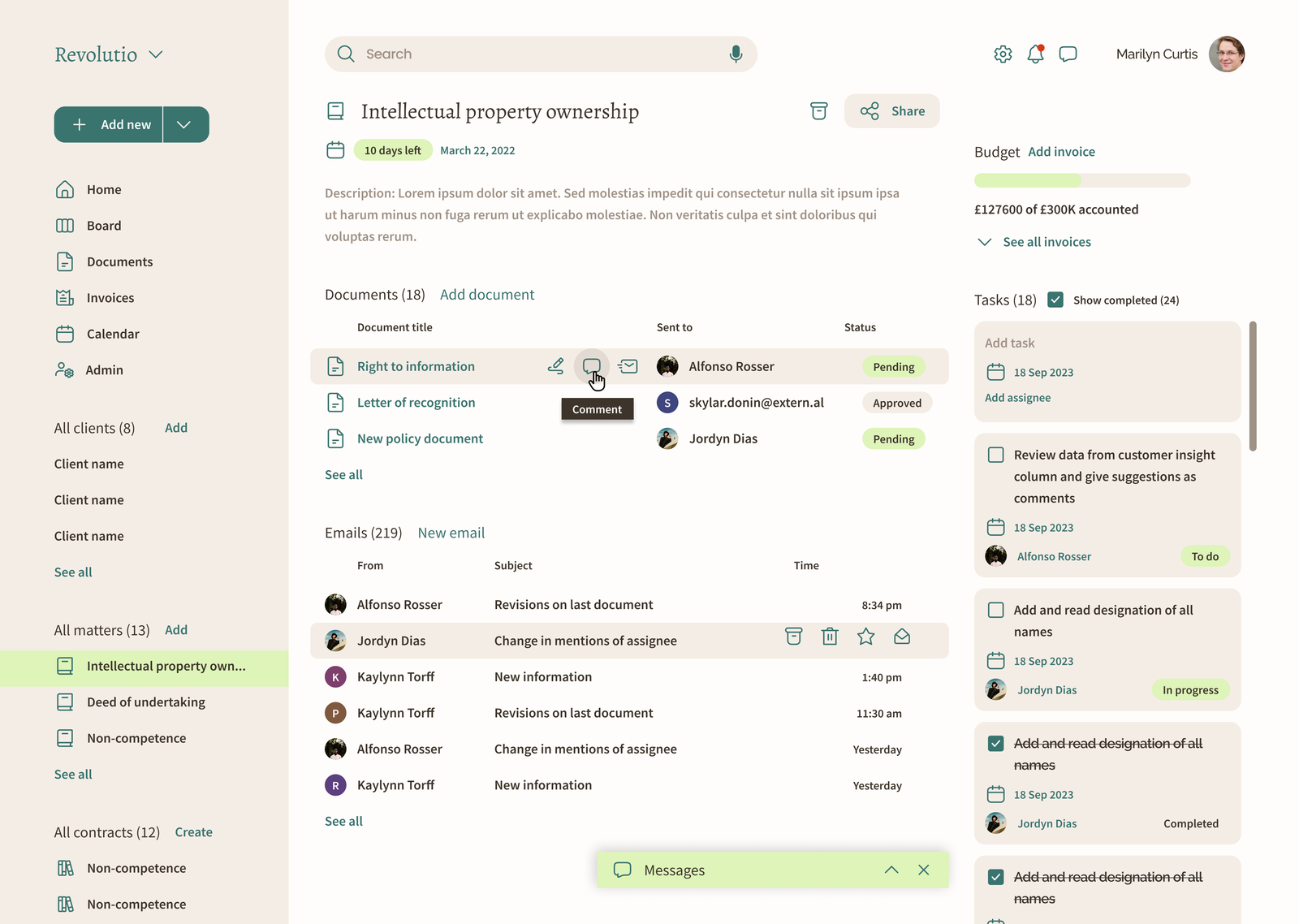
Designing an AI platform for legal documents from zero — where AI drafts contracts and documents from templates, and lawyers stay in control of every word, alongside matters, approvals and invoicing in one connected flow.
Revolutio is a legal-tech startup building for law practices. As the sole UX designer on a team of three, I owned everything design: branding, information architecture, wireframes for every feature, the component system and the final screens — working directly with stakeholders and legal domain experts.
Lawyers were stitching their practice together across email, folders and spreadsheets. They repeatedly recreated similar documents from scratch, which is slow, repetitive work that AI can take on, had no single view of a matter's status, and — critically — wouldn't trust a tool whose workflow only almost matched how they actually work. Money and reputation ride on every matter; the bar for trust is unforgiving. For AI, that bar is even higher: one wrong clause or invented detail and lawyers stop using it.
- Documents rebuilt from old files
- Matter status scattered across email, folders and spreadsheets
- Approvals chased by email
- AI drafts from approved templates and matter details
- One workspace per matter
- Review, approval and invoicing in the same flow
Solo designer, end to end: product structure, paper sketches with domain experts, the matter-centric IA, a component library built before high-fidelity screens, branding and stakeholder reviews through final handoff.
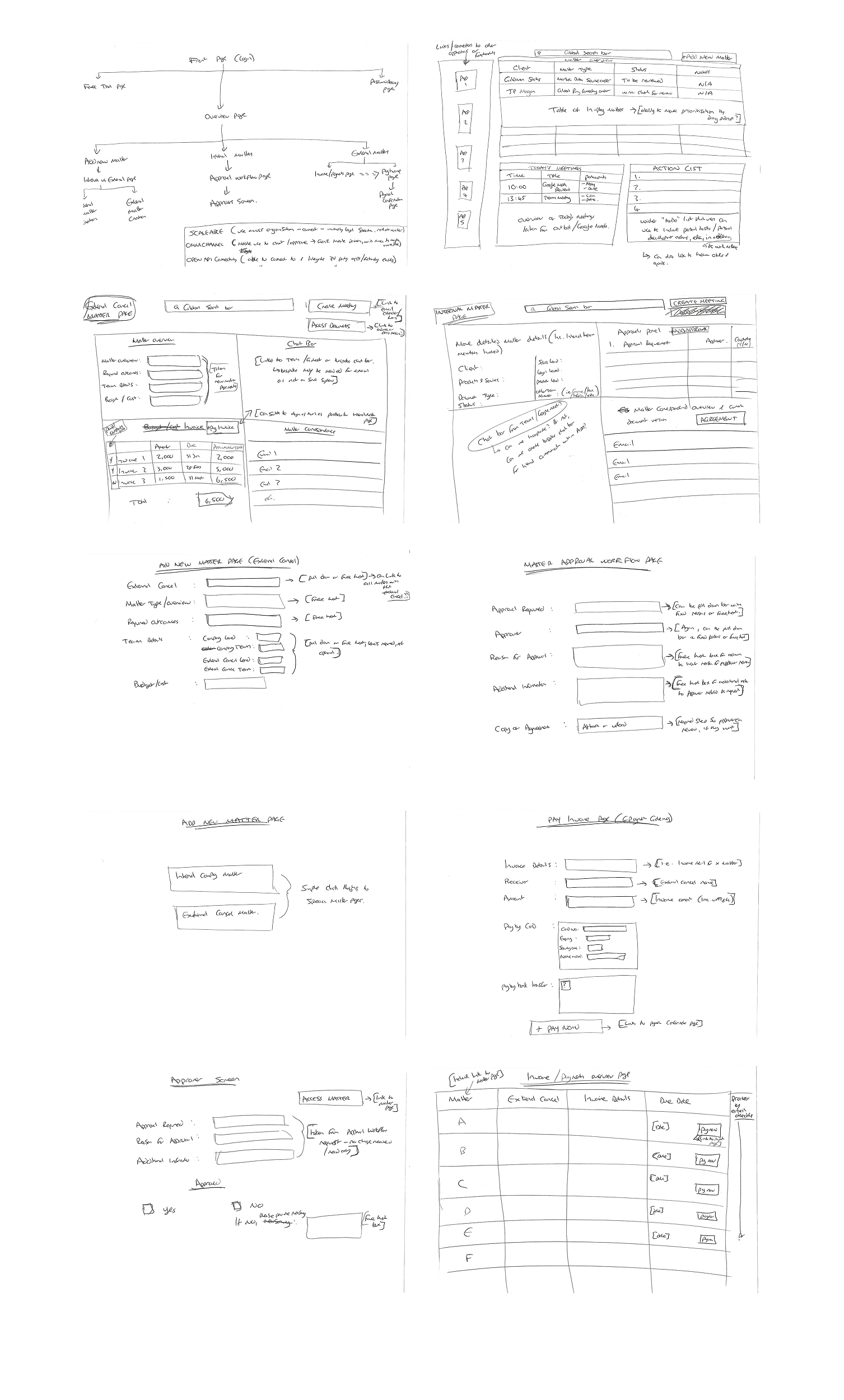
Research with practising lawyers, then paper sketches of the sitemap and core flows — matter overview, approvals, invoicing — validated cheaply before pixels. Systemise early: the component library made every later iteration faster.
AI does the repetitive drafting. A lawyer reviews, edits and approves before anything leaves the platform.
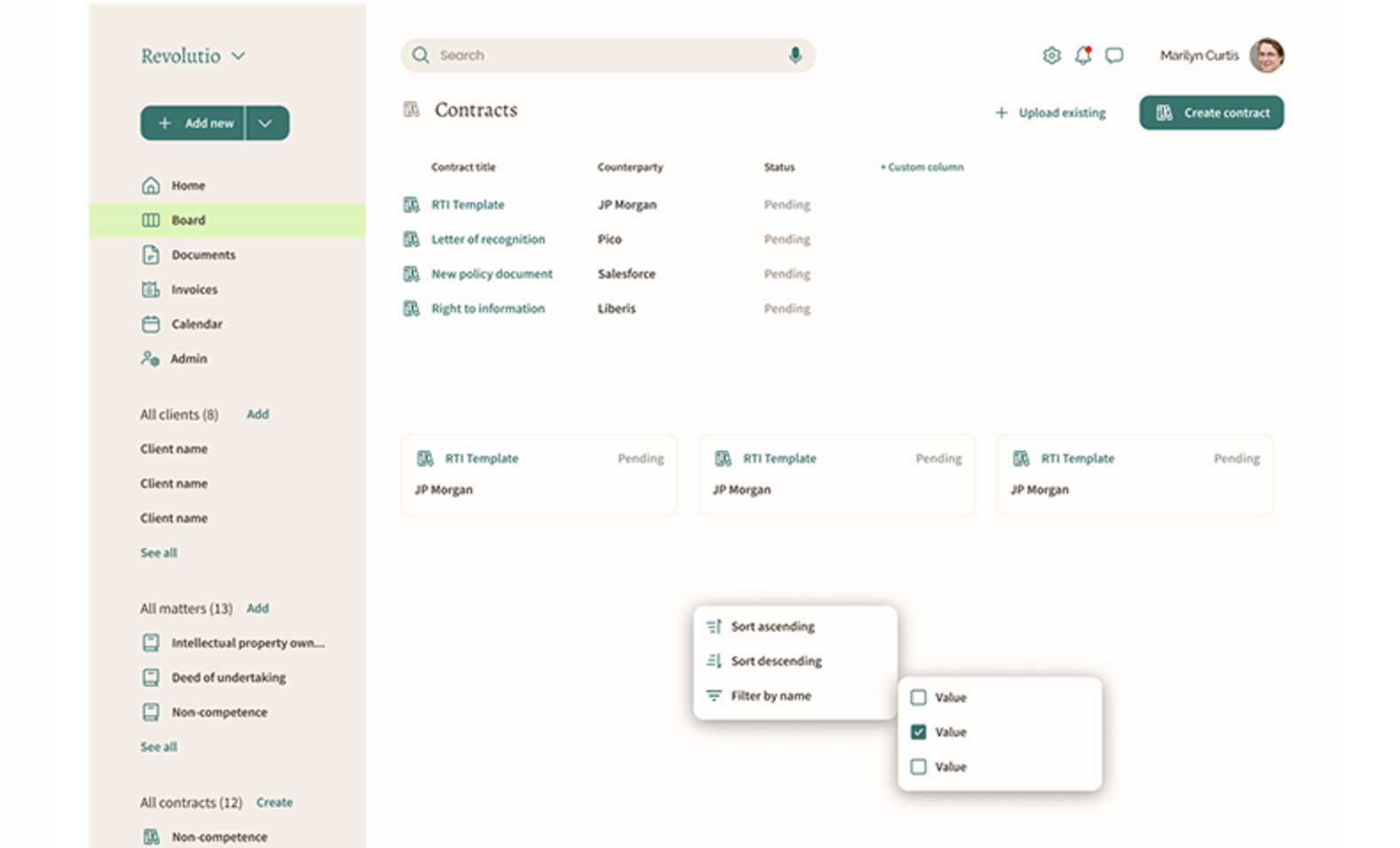
- 01The matter is the home object — everything (documents, people, billing, status) hangs off it.
- 02Build the component system before hi-fi screens — a design decision, not a cleanup task.
- 03Show how every computed result came to be — trust is a UX problem.
- 04Sketch with domain experts on paper first; lawyers surface flaws faster than any hi-fi review.
- 05A lawyer approves every AI draft. AI suggests; it never finalises.
- 06AI-written text stays marked until a person has reviewed it.
- 07Guided intake from the matter and template instead of a blank prompt, so drafts are consistent and nothing is guessed.
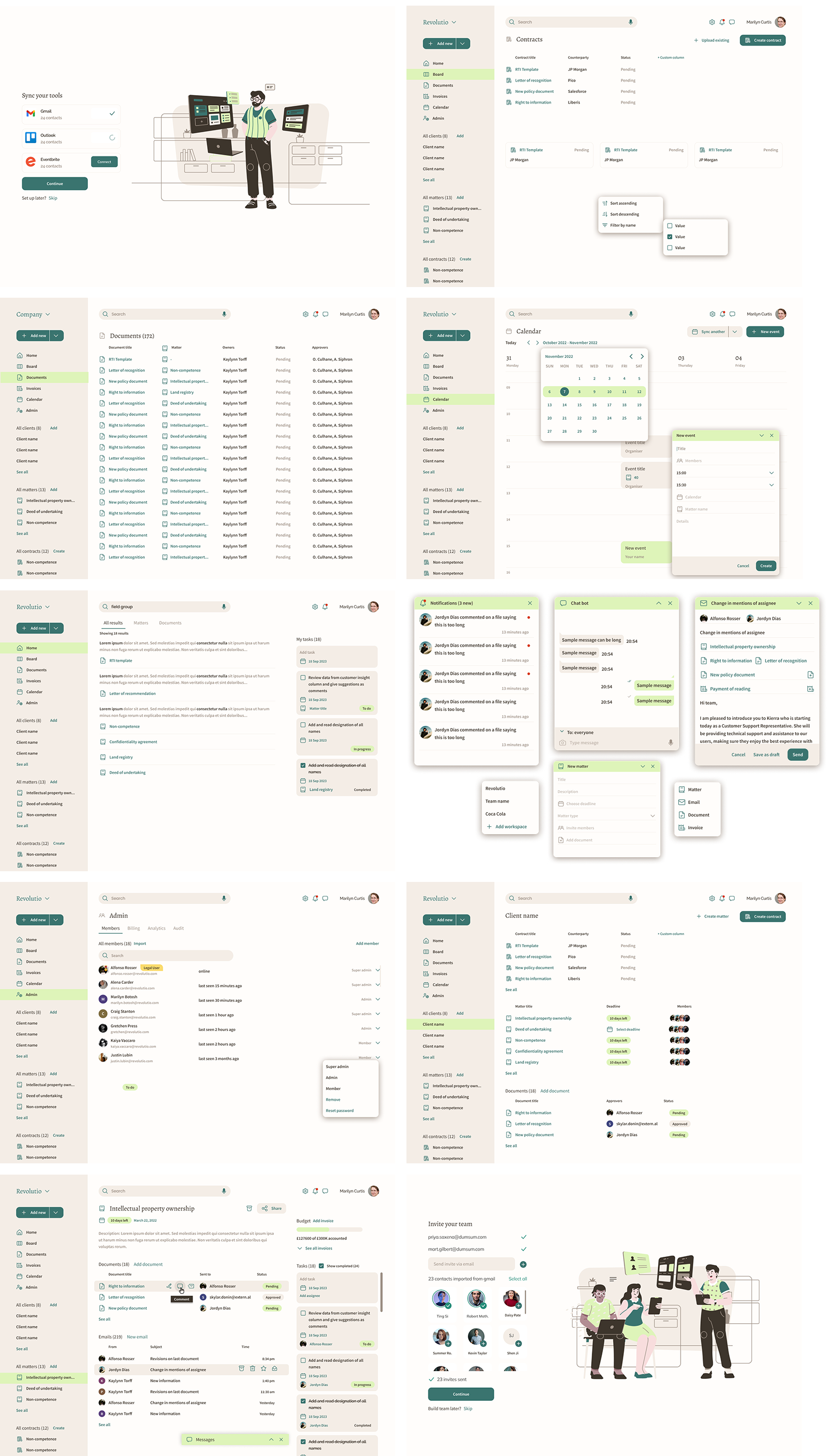
A complete, coherent platform designed in twelve weeks by one designer — matter management, document workflows, approvals and invoicing on a single component system. The early investment in systemisation meant new features composed from existing parts instead of new debates, and the domain-expert sketching sessions meant the workflow matched how lawyers actually practise.
In a high-trust profession, the AI's job is to save time, not to make decisions. Lawyers adopted features when they could see where a draft came from and change it easily, and resisted anything that felt like a black box.
Designing for AI meant designing the review as carefully as the generation.