SameGen
UI/UX Designer · Part-time · 6 months

A social media platform where people share photos and videos with their own generation. Users meet and connect with people the same age as them.
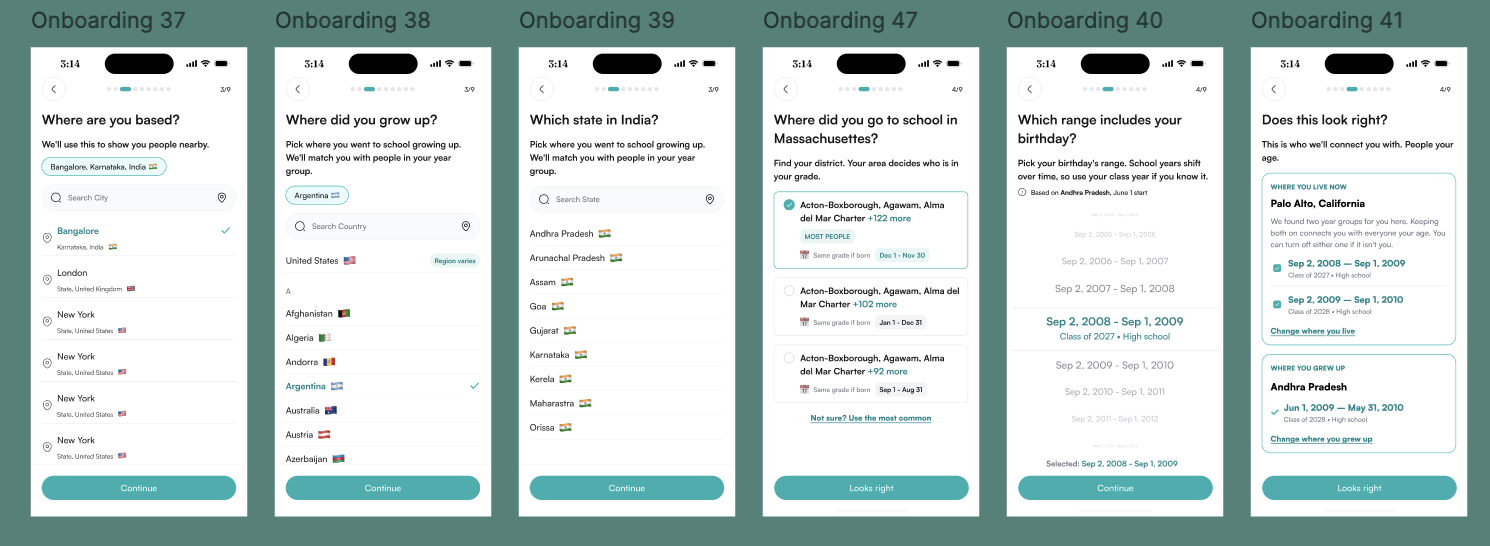
Samegen works like a photo and video sharing app, with one difference: posts are only visible to people in the same school year group. During onboarding, users say where they live, where they grew up and which date range includes their birthday, and that defines who they share with.
Posts last 7 days by default, or users can choose to keep them permanently.
On mainstream social platforms, people's feeds mix every age group. Samegen set out to help people meet and connect with others the same age as them.
Part-time UI/UX designer over 6 months. I designed onboarding with the year-group matching, the 7-day or permanent post choice, and the profile.
The product hasn't launched yet, so there are no usage results to report.
Matching people by school year, not just birth year
A shared generation usually means people who were in the same school year. School cut-off dates differ by country, state and even district, so two people born a month apart can be a year apart at school. Onboarding works out the user's year group from where they live, where they grew up and their birthday.
7 days by default, permanent by choice
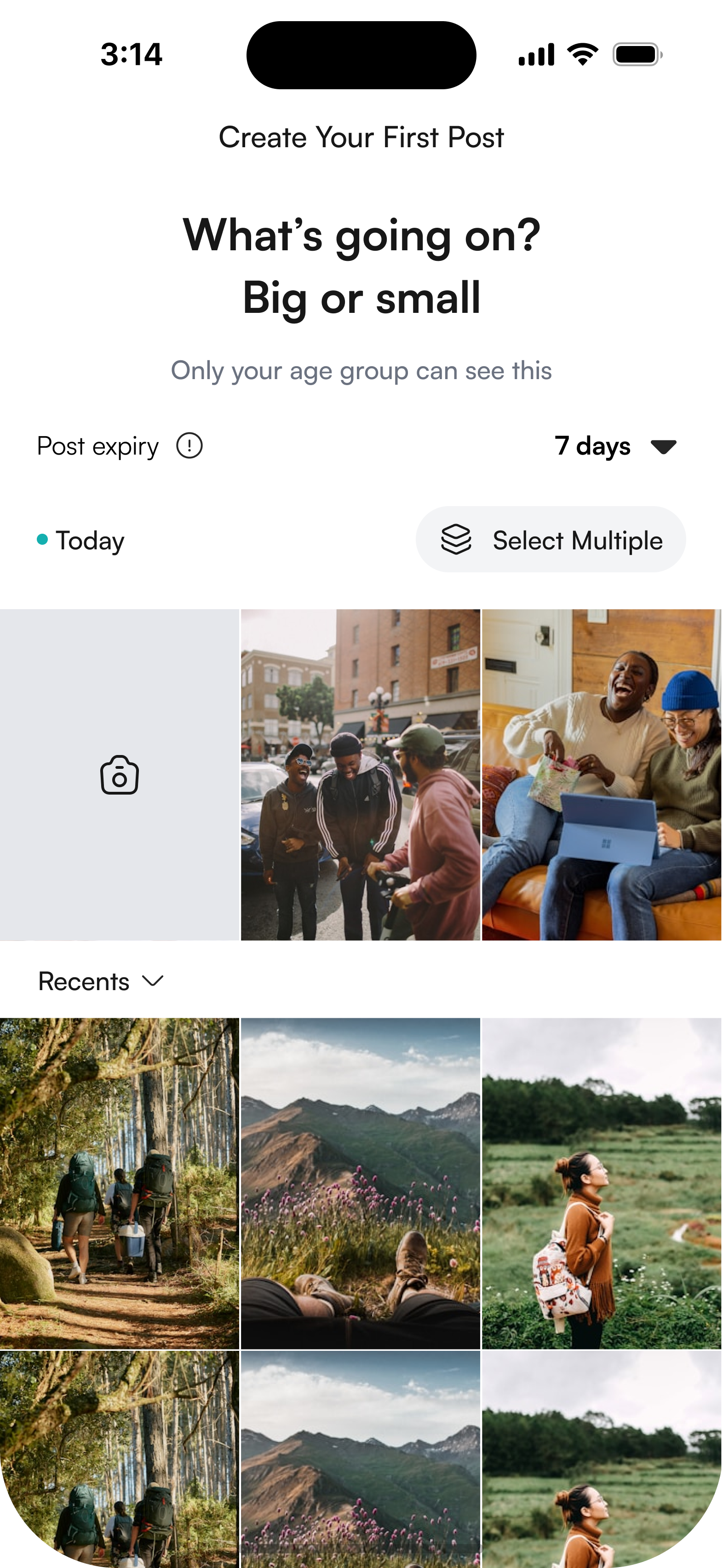
Every post has an expiry setting right on the create screen, set to 7 days unless the user changes it. An info icon explains what happens when a post expires.
A line under the heading, "Only your age group can see this", reminds users who will see the post before they share it.
Change your mind any time before it disappears
Users can see how long their post has left, and keep it permanently or let it go, from the post itself or from a reminder the day before it expires.
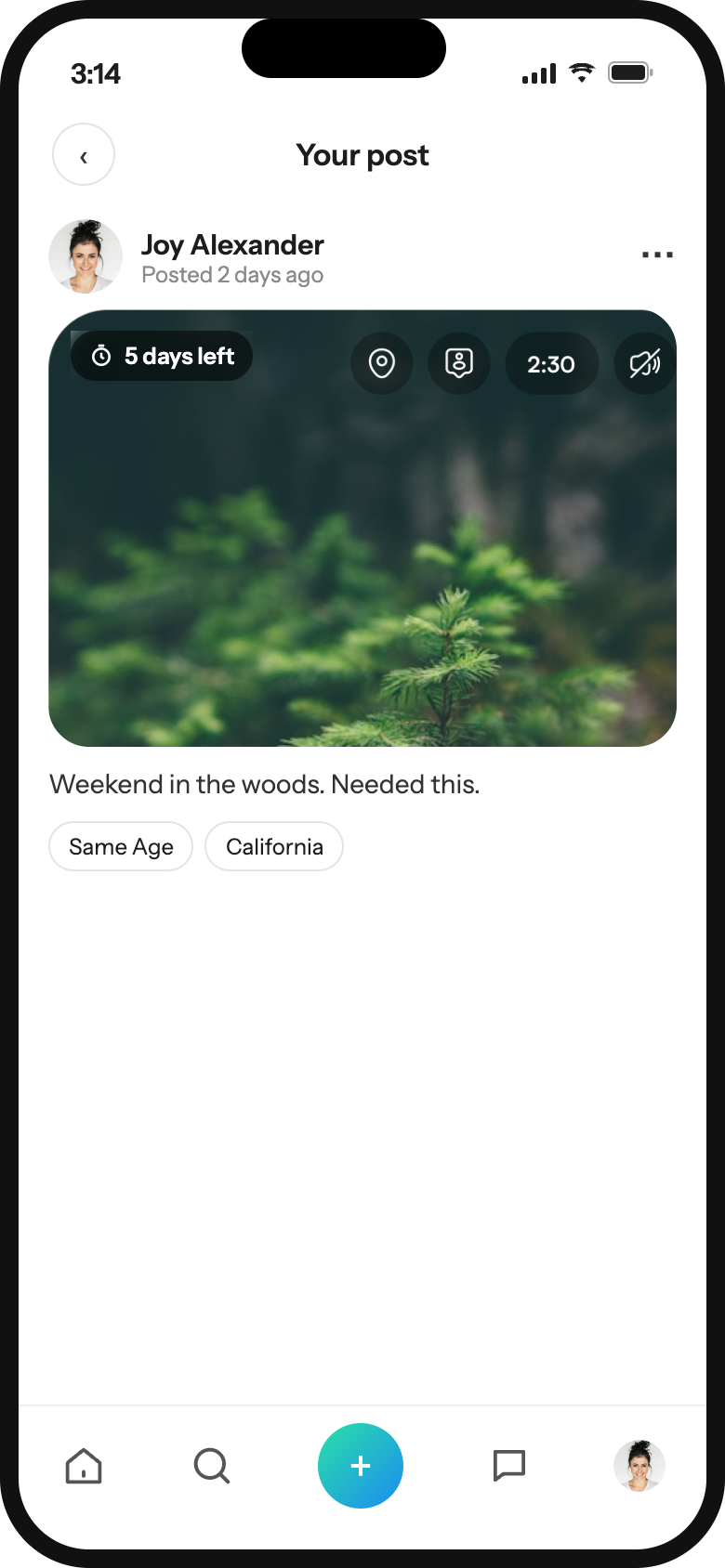 Time left on the postYour own posts show a "5 days left" chip. Others don't see it.
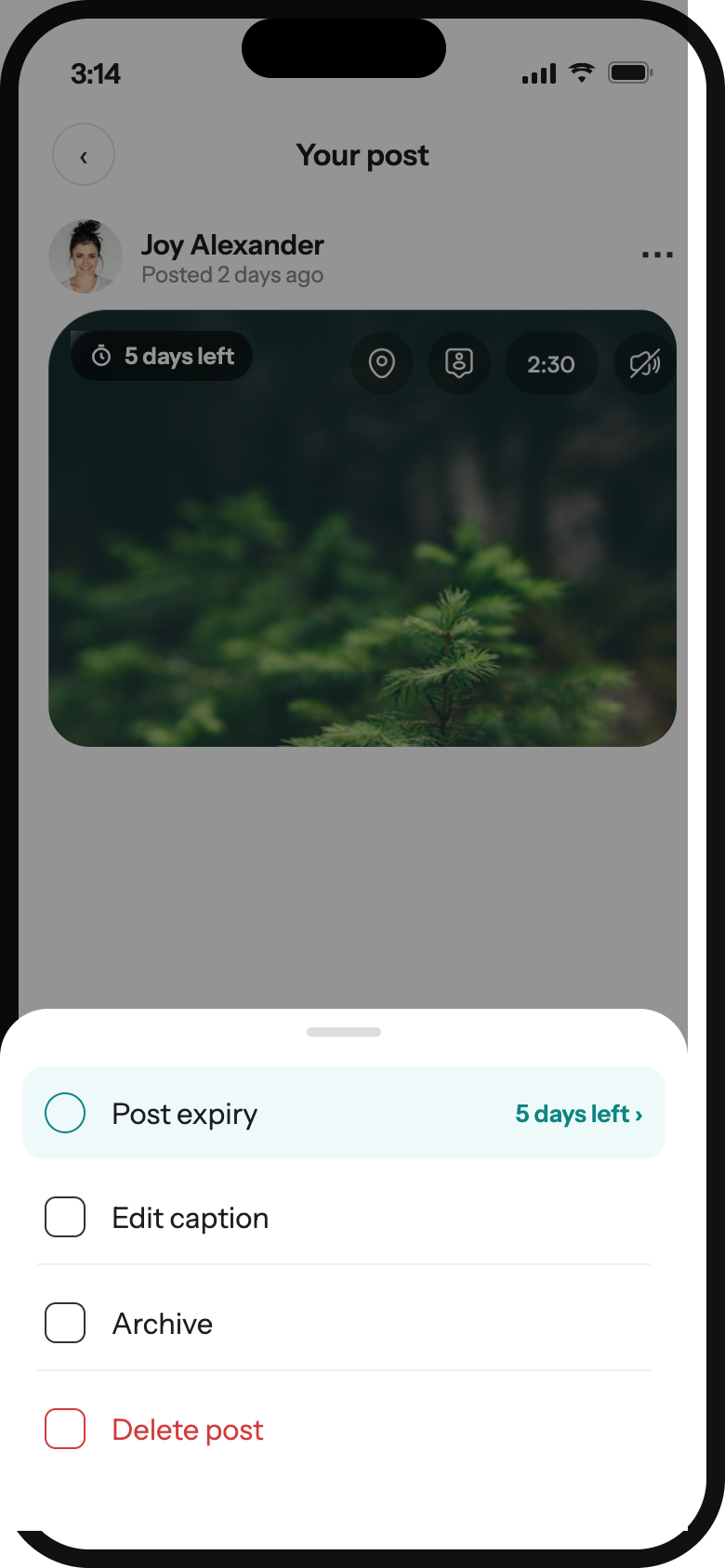 Expiry first in the menuThe current status shows without opening it.
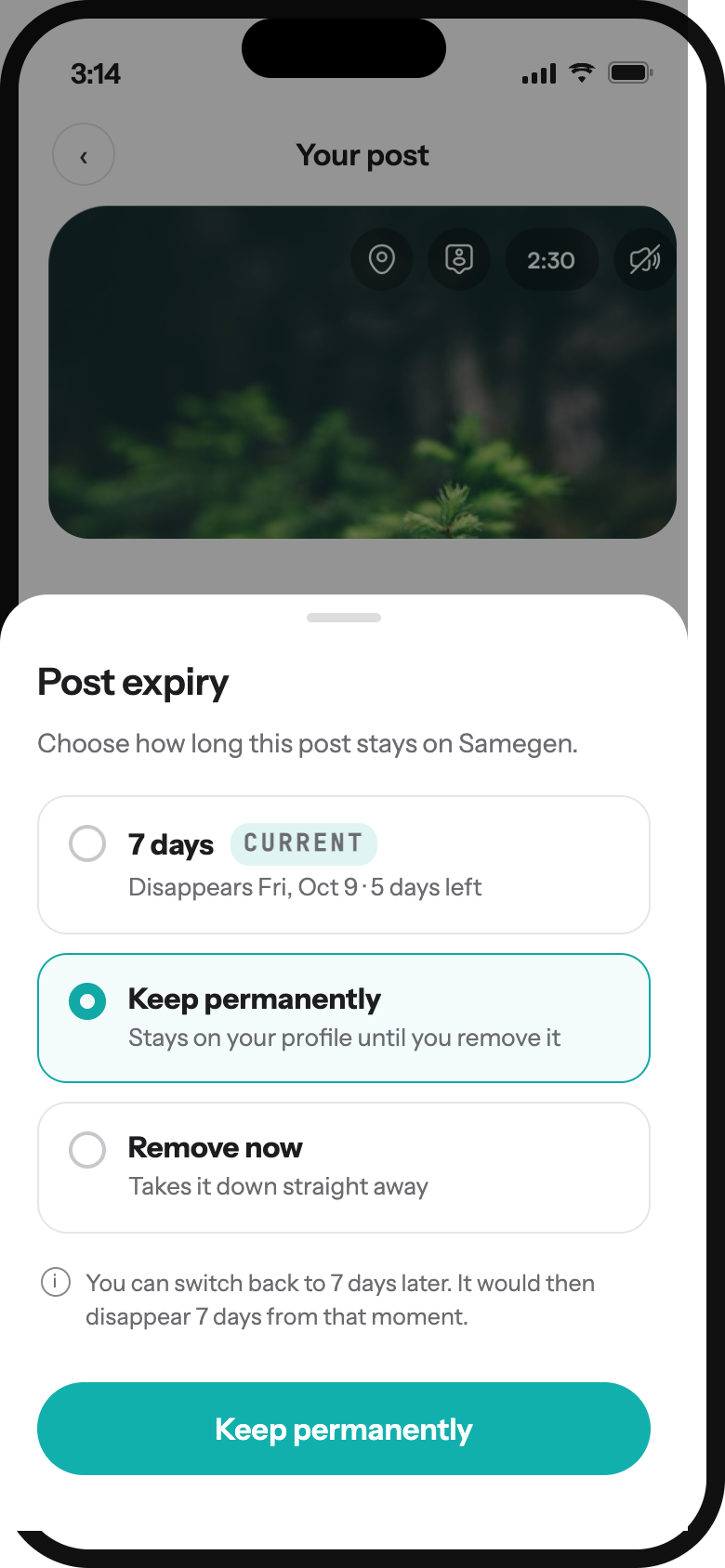 Clear optionsEach option says what happens and when, with a real date. You can switch back later.
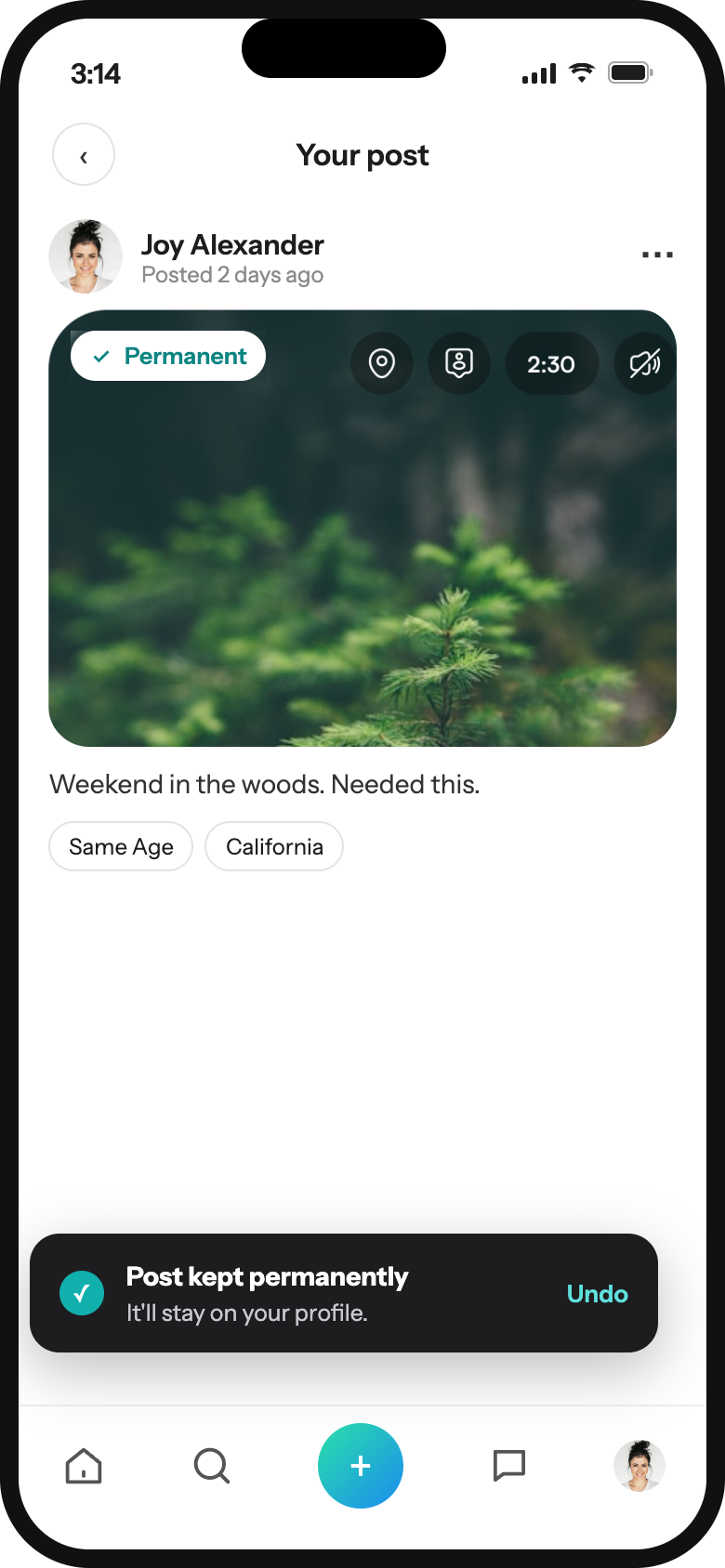 Confirmed, with UndoThe chip changes to Permanent. Undo covers accidental taps.
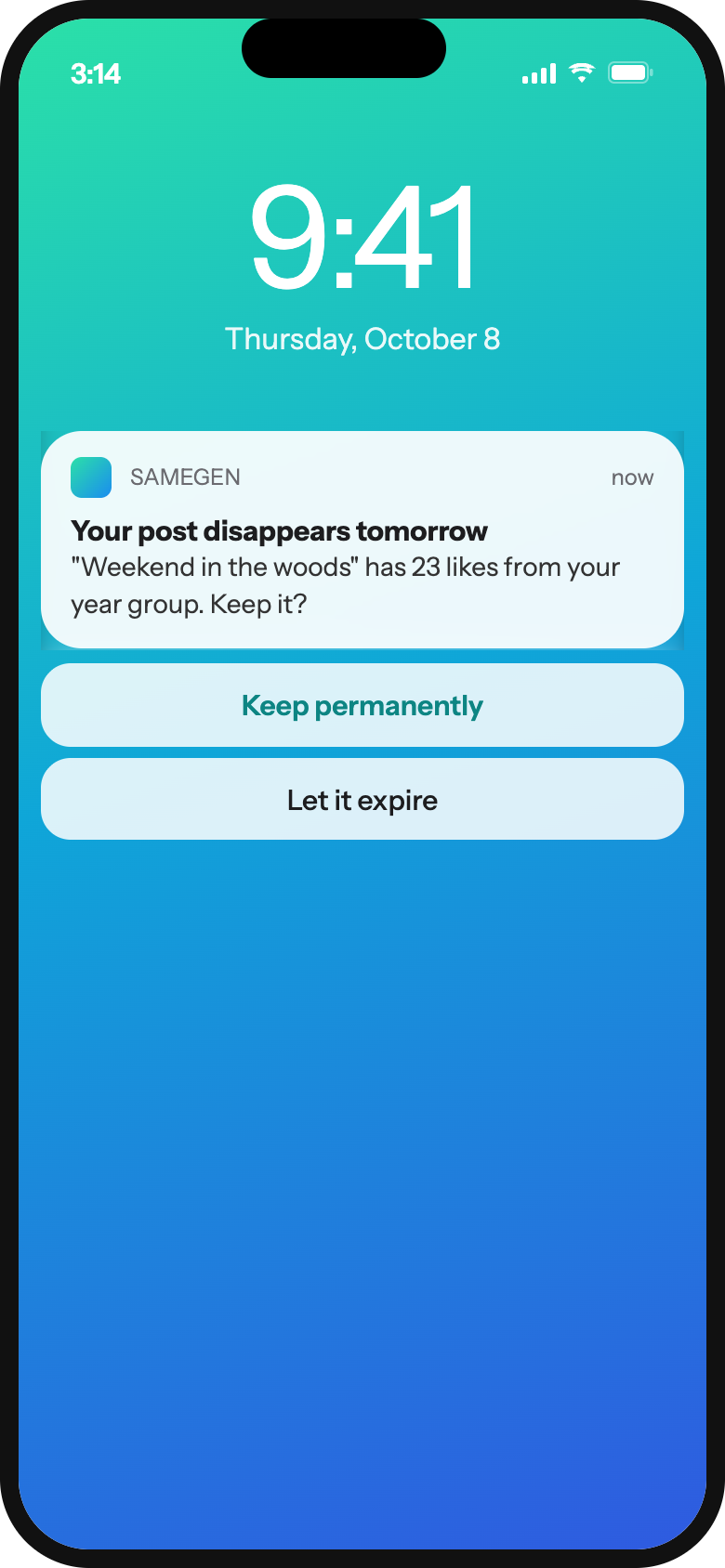 Reminder the day beforeKeep it or let it expire straight from the notification.
A profile built around shared age
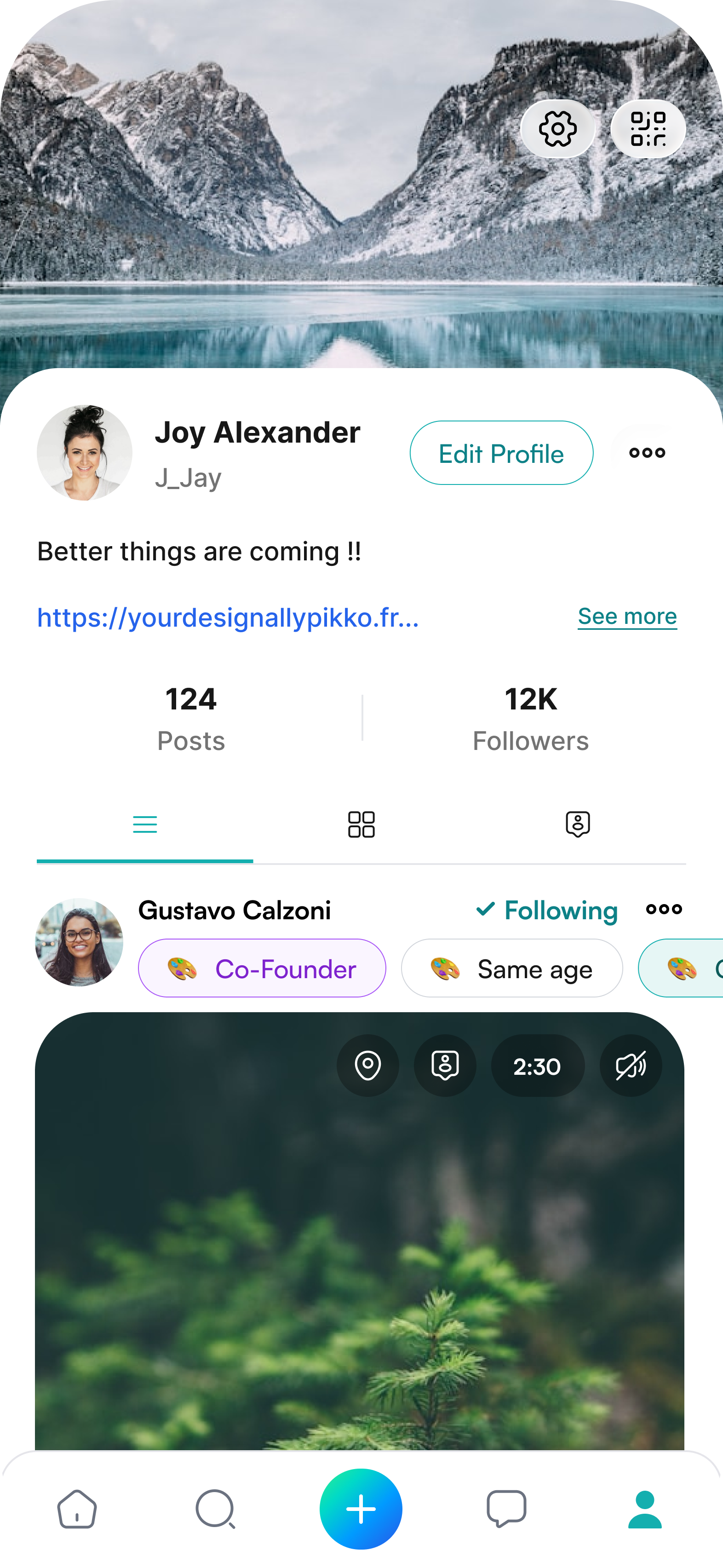
The profile shows the user's posts and followers, with tabs for list view, grid view and tagged posts.
Posts from other people carry a "Same age" tag, making the platform's core idea visible on every post.
Privacy and visibility in one place
Settings are grouped by what users want to manage:
- Your account: profile, password, privacy
- Audience and visibility: followers, tagging, blocked accounts
- Your activity: archived posts, saved, permissions
- Help, community standards and legal policies
- 01Match by school year group, worked out from where the user grew up and their birthday range, because cut-off dates differ by region.
- 02Make 7 days the default, so posting feels light, and let users choose to keep a post permanently.
- 03Remind users who can see a post at the moment they create it.
- 04Show "Same age" on posts so the shared-generation idea is visible in the product.
- 05Let users change a post's expiry after posting, and remind them the day before it disappears.